FiveM and Steam what works, what doesn't
FiveM isn't sold on Steam, but it runs fine with the Steam copy of GTA V. The catch is that Steam has to stay open, and some servers want your Steam ID. Here's how it fits together.
FiveM and Steam at a glance
- NoBuy or download FiveM on SteamNo store page; FiveM only comes from fivem.net
- YesUse the Steam copy of GTA VWorks, Legacy and Enhanced
- YesSteam open while you playNeeded for Steam copies; FiveM closes if Steam does
- SomeSteam ID required by serversOnly servers that turn it on
- YesPlaytime and status on SteamShows as FiveM to your Steam friends
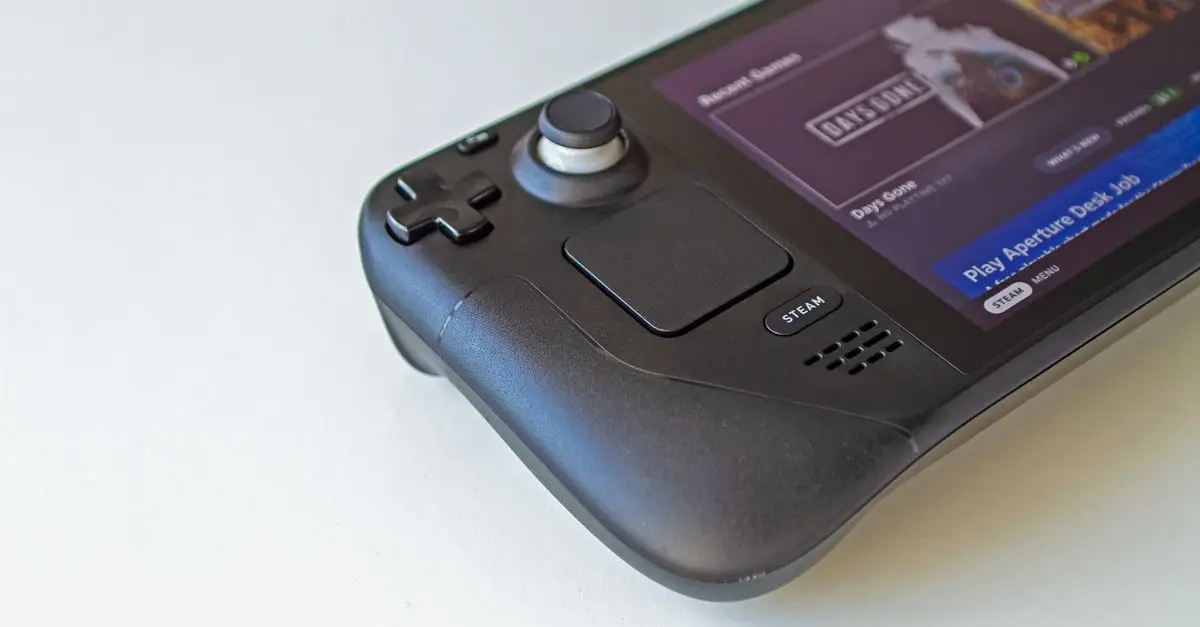
- NoSteam DeckRuns in insecure mode; most servers refuse it
Checked against Cfx.re's documentation, release notes and Steam, October 2026.
- STEP 1Steamopen + signed in
- STEP 2Rockstar Launchersigned in
- STEP 3FiveMstarts GTA V
- STEP 4Servermay check steam: ID
Set up FiveM with Steam GTA V
1. Install GTA V through Steam and launch it once, so it finishes installing and signs you in to the Rockstar Games Launcher. Buying GTA V Enhanced on Steam also gives you GTA V Legacy, which is the one regular FiveM uses.
2. Download FiveM from fivem.net, not from Steam. Which download, step by step.
3. Point FiveM at the Steam folder on first launch. Select GTA5.exe in C:\Program Files (x86)\Steam\steamapps\common\Grand Theft Auto V, or find yours with right-click GTA V → Manage → Browse local files.
4. Keep Steam open. Start Steam and sign in before FiveM, every time. If Steam quits while you play, FiveM shows “Steam process has exited” and closes the game.


Servers that want your Steam ID
Every player brings a few identifiers to a server: a Rockstar license, and Steam and Discord IDs if those are running. Steam IDs look like steam:110000112345678. Some servers use them for whitelists, bans or saving characters, so they turn the Steam check on.
On those servers you'll see a message like “No Steam authentication ticket provided” or a server's own “please relaunch FiveM with Steam open”. The fix is the same: close FiveM, open Steam and sign in, then start FiveM again. Most servers don't require Steam at all.
Steam Deck
SteamOS is Linux, and Cfx.re says the FiveM client can't run on Linux. Under Proton it starts in an “insecure mode” because the anti-cheat doesn't support Wine, and most servers won't let you in that way. Players who really want FiveM on a Deck install Windows on it. That's not supported by Cfx.re, and it's a big job for a handheld.
Questions
- Is FiveM on Steam?
- No. There's no FiveM store page, and you can't buy or download it there. Steam has a hidden FiveM entry that shows your playtime and what you're playing to friends, but the download is only on fivem.net.
- Does FiveM work with the Steam version of GTA V?
- Yes. Install GTA V through Steam, launch it once, then point FiveM at its folder: by default C:\Program Files (x86)\Steam\steamapps\common\Grand Theft Auto V.
- Does Steam have to be running?
- With a Steam copy, keep Steam open and signed in the whole time. If Steam closes mid-session, FiveM closes the game too.
- Why does a server say I need Steam?
- Some servers require a Steam ID to identify players, for example for bans or whitelists. Open Steam and sign in before starting FiveM, then reconnect.
- Can I play FiveM on a Steam Deck?
- Not properly. SteamOS is Linux, and under Proton FiveM runs in an insecure mode that most servers refuse. Some players install Windows on the Deck instead; Cfx.re doesn't support either route.
- I bought GTA V Enhanced on Steam. Can I use regular FiveM?
- Yes. Steam's GTA V Enhanced comes with GTA V Legacy too, and regular FiveM uses Legacy. That's the one almost every roleplay server runs on.